

I’ve been working in video production for years. And for most of that time, I managed projects the same way most small studios do — a mix of spreadsheets, shared Google Docs, iMessage threads, and a lot of mental overhead trying to keep track of what was sent, what was approved, and what was about to fall through the cracks.
The tools that existed were either built for software teams, or they were so bloated with features that setting one up took longer than the project itself.
So we built something different. We built Crexels.io.
What Crexels.io actually is
Crexels.io is a production management platform designed specifically for photographers, videographers, and small creative agencies.
Not a generic to-do app. Not enterprise project management software with a six-month onboarding. Something built around the actual workflow of a shoot — from the first client call to the final delivery.
Here’s what it looks like in practice:
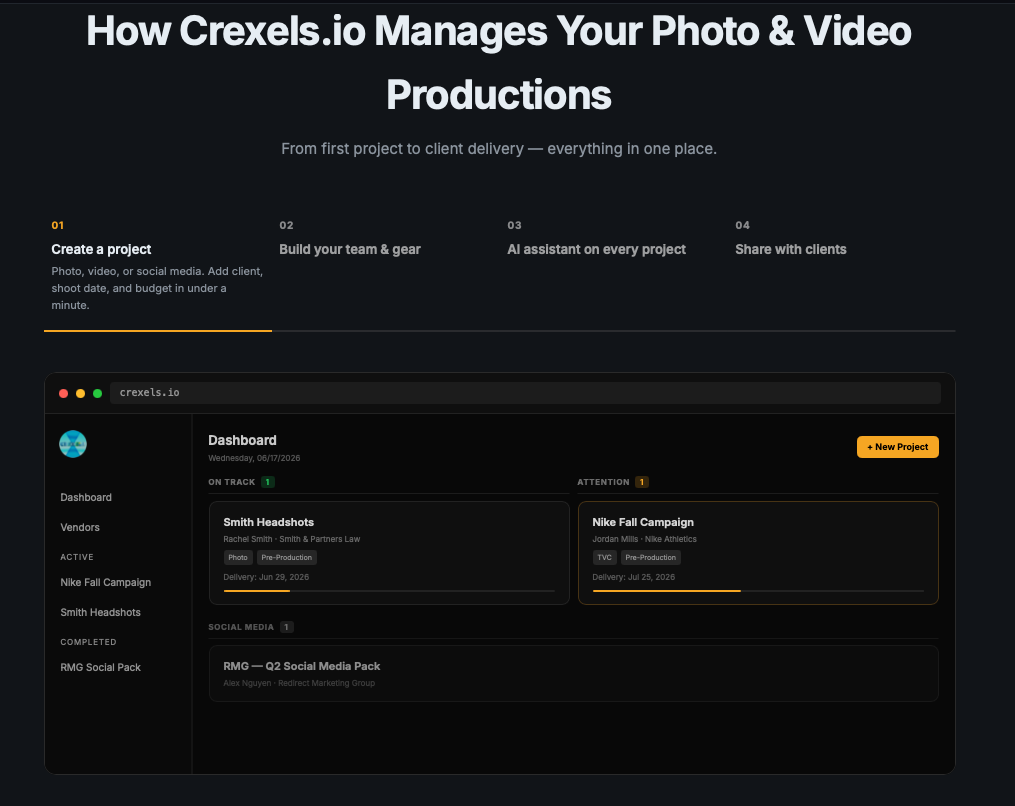
Every project in one place When you open a project, you see everything — client name, phone, email, shoot date, budget, delivery deadline, and current status. No digging through emails to find who the contact is. No switching between tabs to find the brief.
Pre-production checklists Built-in checklists for pre-production, production, and post. Mark items done, flag them N/A, or add custom items specific to that shoot. The checklist updates in real time and shows you at a glance where things stand.
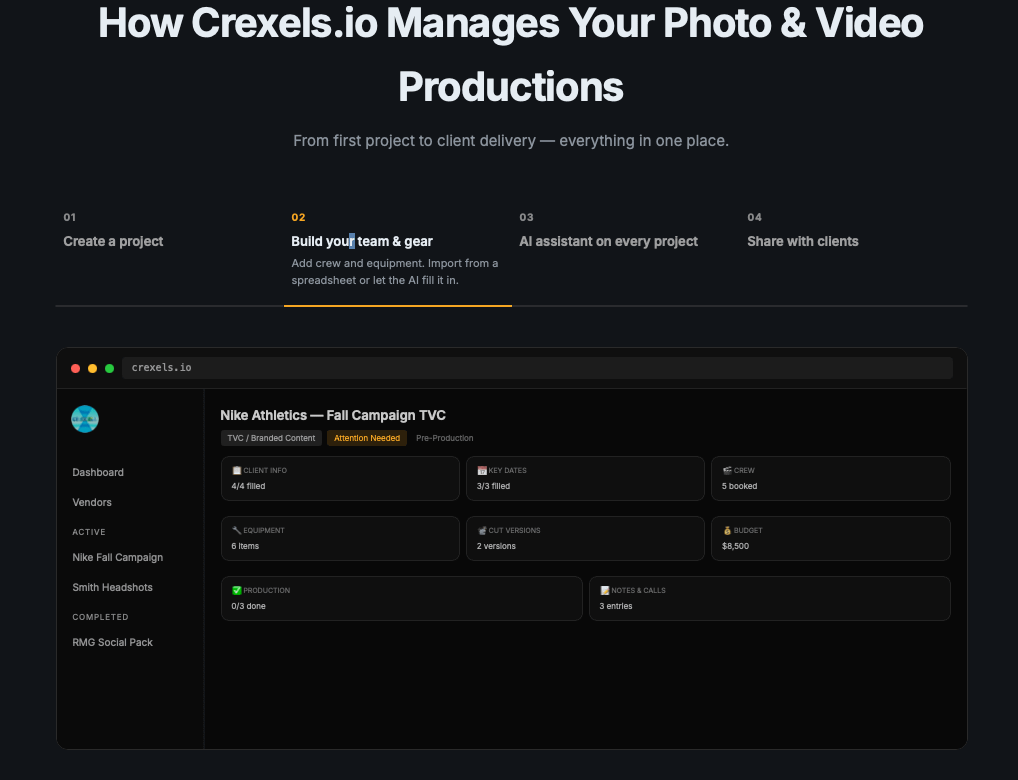
Crew and equipment tracking Add your crew members with their roles and contact info. Log your gear list. Keep everything tied to the project so when someone asks “who’s the DP on this one?” — you have the answer in two seconds.
Cut versions and client links Every time you send a cut, log it. Add the frame.io or Vimeo link, the send date, and the status. You’ll always know which version the client is looking at and when you sent it.
Revision and feedback history Keep a running log of client calls and feedback notes tied directly to the project. No more searching your inbox for “what did they say about the color grade in V3.”
Content calendar for retainer clients If you work with clients on ongoing social media content, there’s a built-in content calendar. Log every post — Reels, Stories, static posts — with the link and publish date. See at a glance how many posts went out this month.
Budget and expenses Track your project budget and log expenses as they come in. Rentals, catering, permits, crew payments — all in one place so you’re not reconciling at the end.
PDF export Generate a clean, formatted project brief as a PDF. Useful for sharing with clients before a shoot, or keeping a record after.
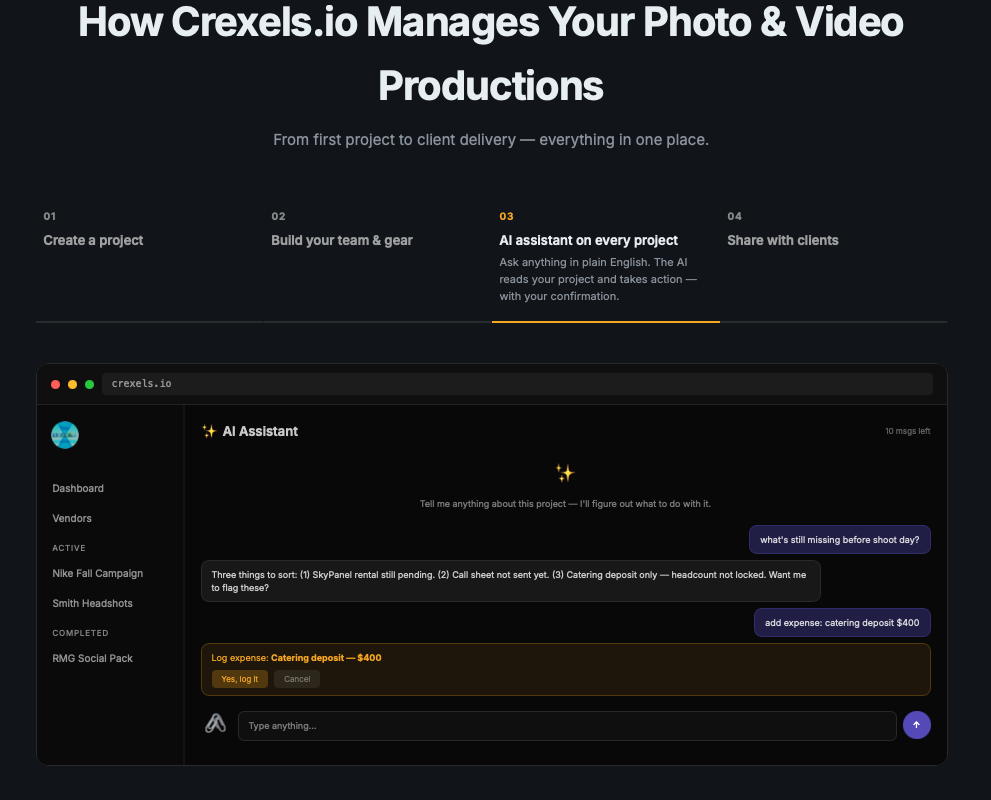
An AI assistant built into every project Type a quick update — “sent V2 to client today” or “rented a Sony FX3 from Samy’s Camera for $300” — and the assistant figures out where to log it. It’s not a chatbot. It’s a fast way to update your project without navigating menus.
Who this is for
Crexels.io is built for:
Freelance photographers and videographers juggling multiple clients
Small production companies with 2–10 people
Creative agencies managing retainer content for multiple brands
Anyone who has ever lost track of a client note, a cut version, or a delivery deadline
If you’re running a one-person operation out of Notion and a Gmail inbox, this is for you. If you’re a small agency with a few producers trying to stay organized across multiple shoots — this is for you too.
We’re looking for beta testers
Crexels.io is live and working, but we’re still early. We’re looking for photographers, videographers, and small production studios who want to try it and tell us what’s missing, what’s confusing, and what they wish it did.
It’s free during the beta period.
All I ask is real feedback. What’s broken, what’s confusing, what would make this actually useful for how you work.
If that sounds like you — sign up at crexels.io or reach out directly. I’ll get you set up and we can talk through your workflow.
Let’s build something that actually works for creative studios.
— Yaniv, Founder · Crexels.io